Select Version of EA Desktop:
SEG-Y Scan converts your SEG-Y data files into compressed replicas for quick viewing. To replicate the files, SEG-Y Scan extracts attribute information from the source files and generates snapshot files for viewing.
The Trace template extracts data from the Trace header and the EBCDIC template extracts data from the EBCDIC header. The scanning process extracts data from specified locations in the headers, as set in the Trace and EBCDIC templates.
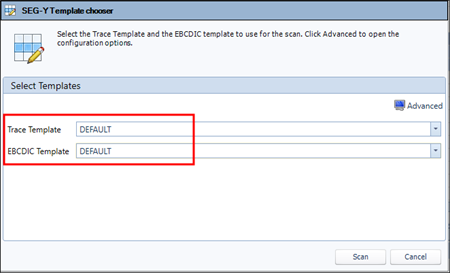
To extract attribute information, you first create templates to use for scanning the source files. Part of the scanning procedure involves selecting the templates to use for extracting the attributes, and generating the snapshot.
The first step in configuring the templates is to specify the settings for the scan process in when you Select template settings. The next step is to define the following templates:
- Define the Trace Template: Configure the data locations in the Trace header for the CDPX, CDPY, inline and crossline.
- Define the EBCDIC Template: Set the card locations for finding and extracting data from the EBCDIC header.